Modbus RTU Access
RTU is not a separate playbook: attach under an owned gateway, same steps as gateway access. Once the thing model is ready, open debug — tap Read or enter a value to Write; the platform builds the Modbus frame. No hand-written hex.
RS-485 / Modbus RTU instruments join through a Lingdian-owned gateway. Serial settings, slave id, protocol recognition, and thing model follow the gateway flow; only the child protocol is RTU.
1. Same as gateway access
Full field steps: MQTT Gateway Access
- Scan to add the gateway
- Configure child serial (baud, parity, slave address, …)
- Protocol file → AI point table → confirm thing model
- Check live parameters
This page adds debug after onboard, and why you do not write hex yourself.
2. Device debug: click to act; platform builds frames
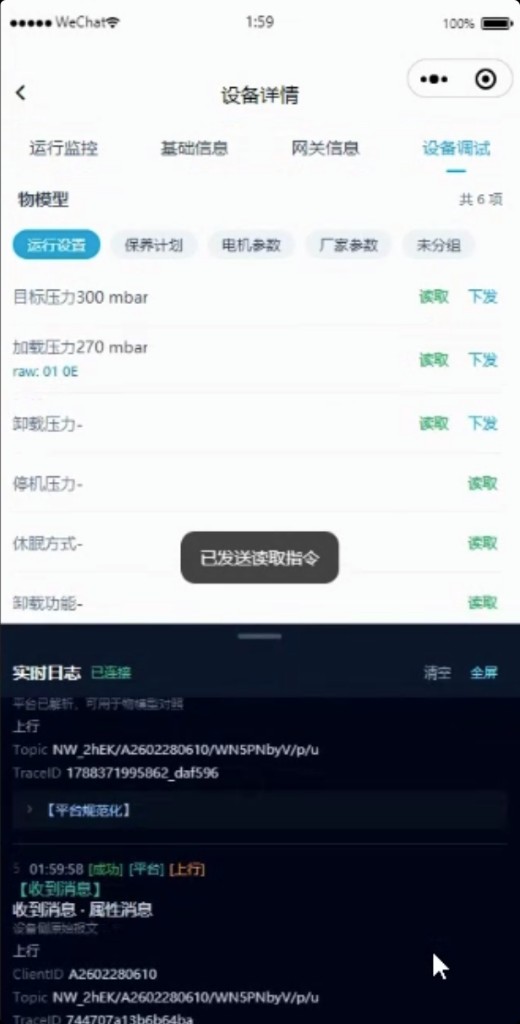
Open child Device detail → Device debug:
- Tap Read, or enter a value and Write
- Do not hand-type
01 03 …hex; the platform builds frames from thing-model registers - Realtime logs show Topic and parsed results; open Modbus frame parse for raw frame, CRC, register, and engineering value
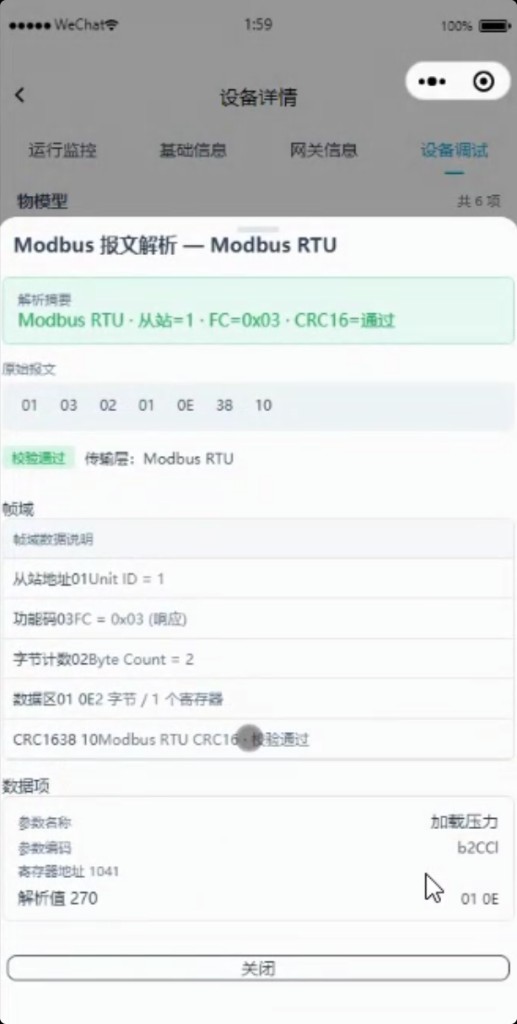
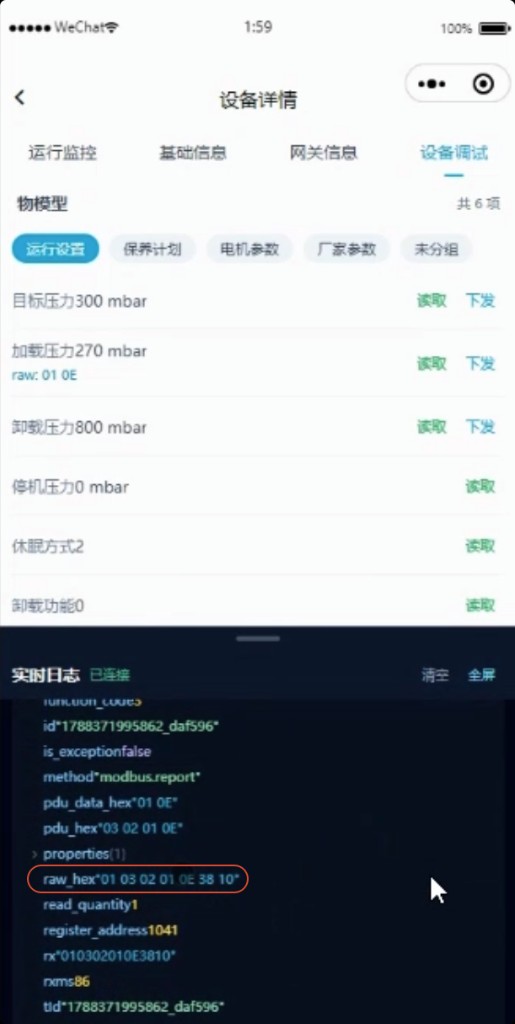
raw_hex / pdu_data_hex in logs are for cross-check with the instrument manual — day-to-day work stays on the thing-model buttons.
3. Acceptance
- Gateway online; child polling returns data
- Debug Read fills engineering values; Write is visible on the instrument
- Frame parse CRC ok; registers match the thing model