MQTT Gateway Access
This page covers platform-owned gateways: scan the enclosure QR in the mini-program for one-click add, configure sub-device serial settings and protocol, run AI model recognition, then check parameters.
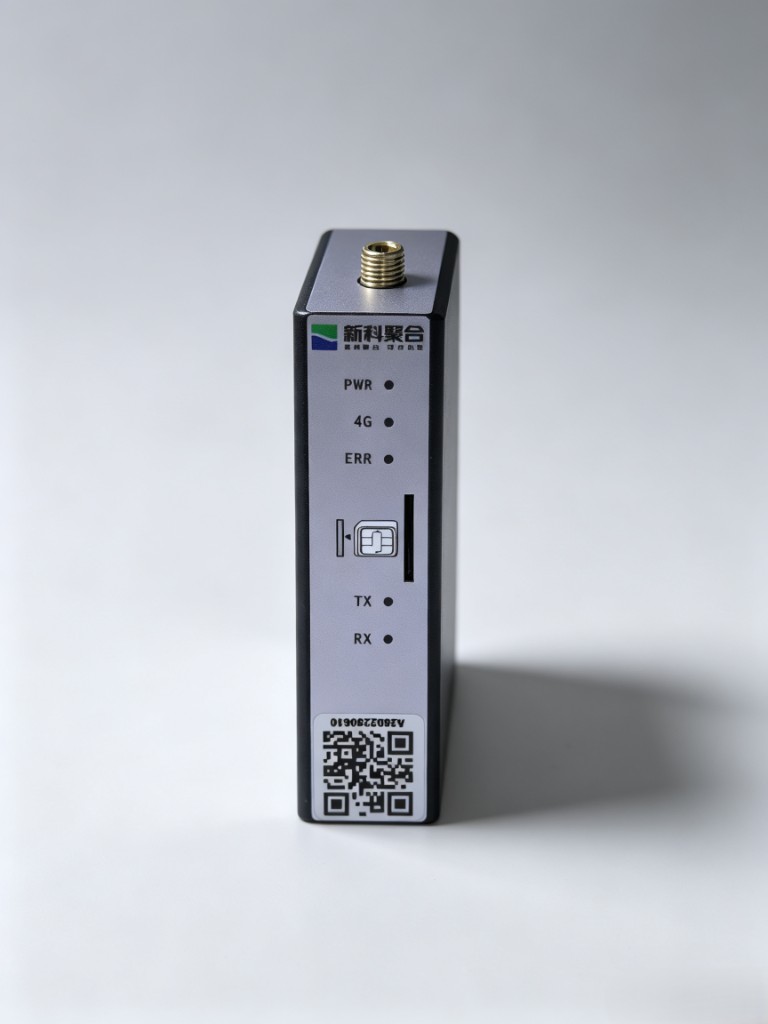
Buy a Lingdian-owned gateway with Lingdian AIOT — newly launched with exclusive pricing. Contact WeChat: shiyixinxi-DG
1. Access steps
- Scan QR in the mini-program to add the gateway
- Configure sub-device serial parameters and collection-terminal info
- Select the device protocol file
- AI model recognition (OCR / thing-model draft)
- View sub-device parameters
- Device debug: Read / Write — platform builds frames (incl. Modbus RTU)
2. Operations
2.1 Scan to add the gateway
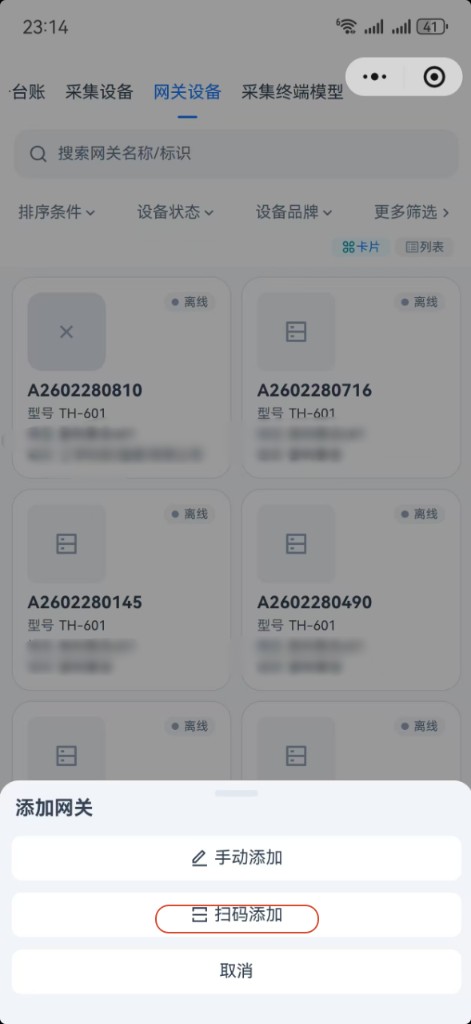
- Open the mini-program → Gateway devices.
- Tap Add → Scan to add.
- Scan the enclosure QR (SN / QR on the label) for one-click registration.
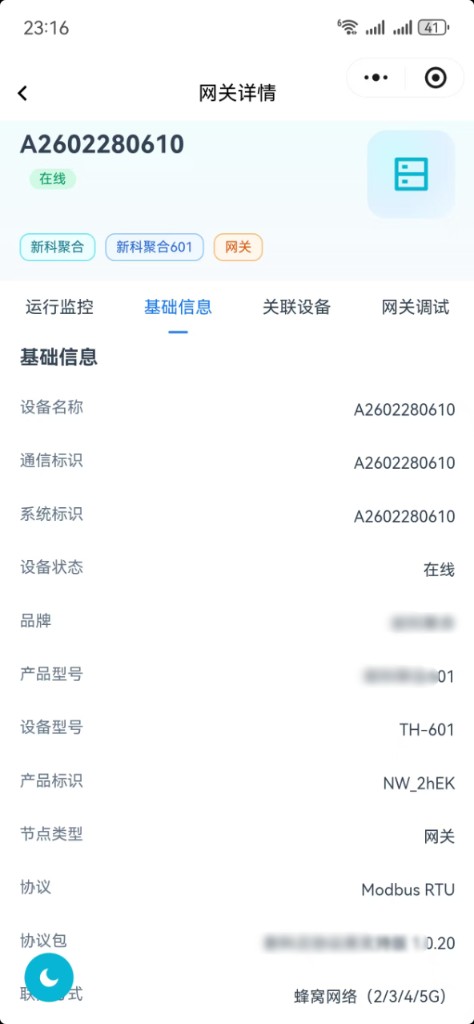
After success, open Gateway detail for basic info, online status, product key, and network type.
2.2 Configure sub-device serial parameters
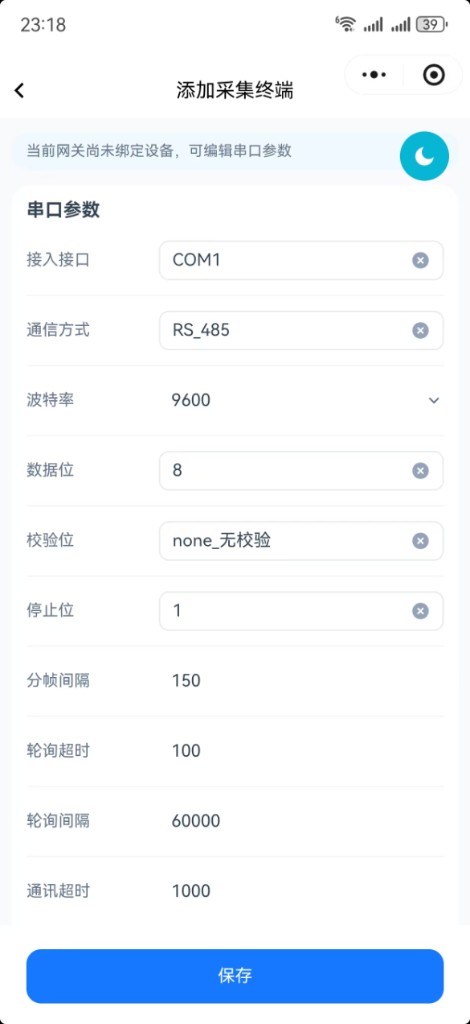
When adding a collection terminal (sub-device) under the gateway, set serial parameters first (interface, RS-485, baud, data/parity/stop bits, polling timeouts, etc.), then fill name, model, template, and slave address.
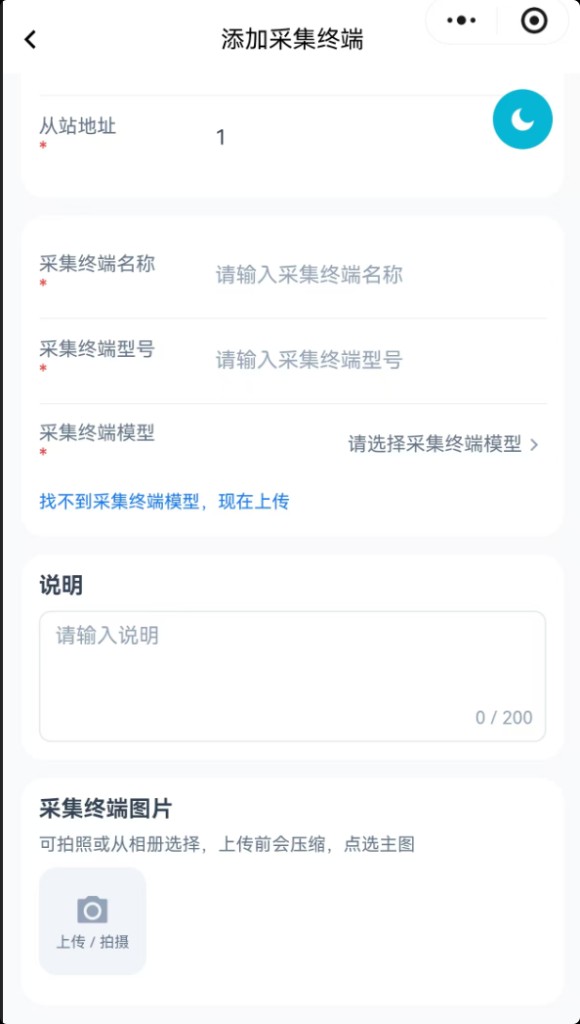
If no matching template exists, use Can't find a model — upload now to continue with protocol recognition.
2.3 Select device protocol
Pick or upload a protocol document (e.g. Modbus PDF, product manual) for recognition.
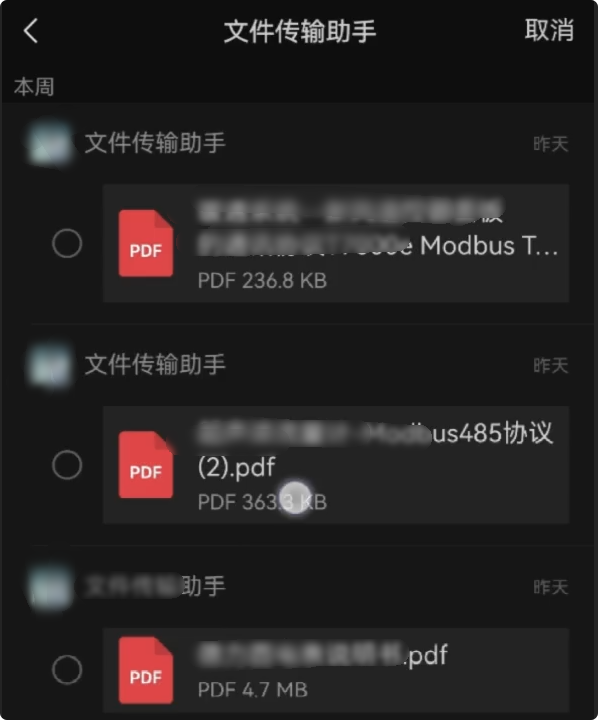
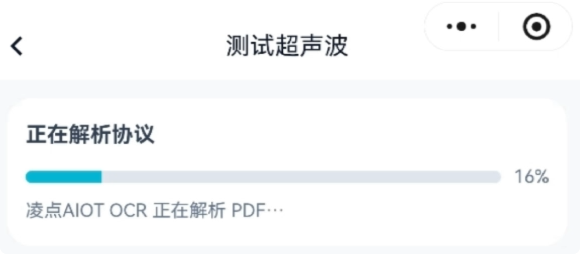
2.4 AI model recognition
Lingdian AIOT OCR / protocol parse builds a thing-model draft from the file; review progress, then confirm before publish.
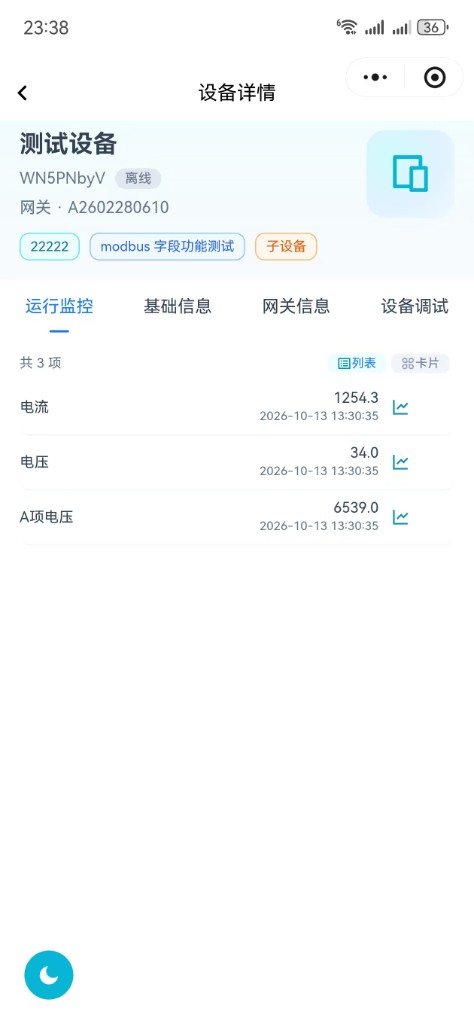
2.5 View sub-device parameters
Open sub-device Device detail → Operation monitoring to verify reported points (e.g. current, voltage).
2.6 Device debug (no hand-written hex)
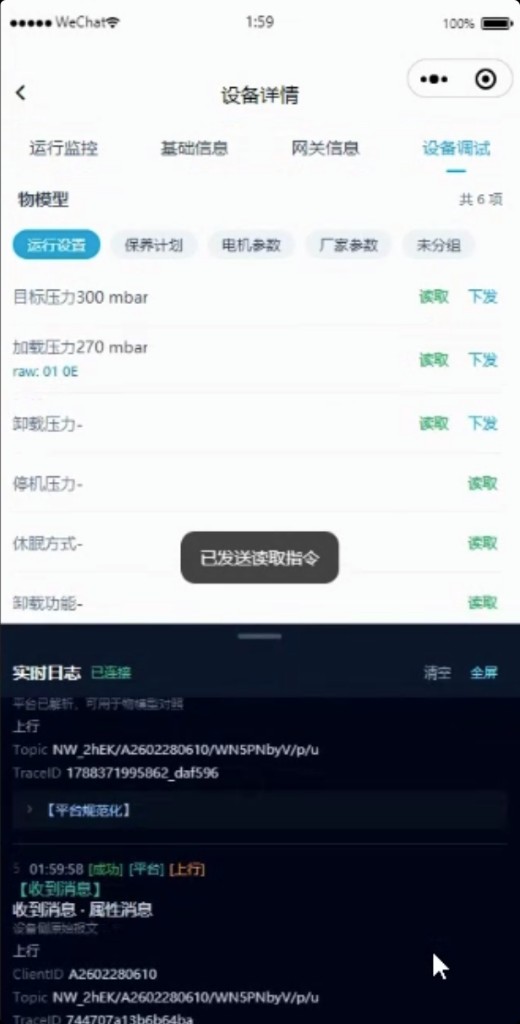
With the thing model ready, open Device detail → Device debug:
- Tap Read, or enter a value and Write
- Do not write hex yourself; the platform builds Modbus frames from the thing model
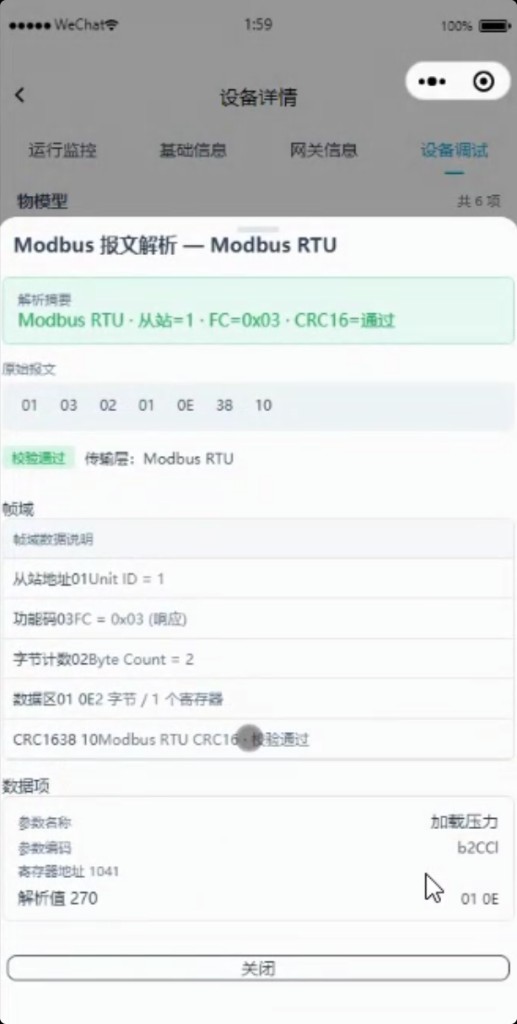
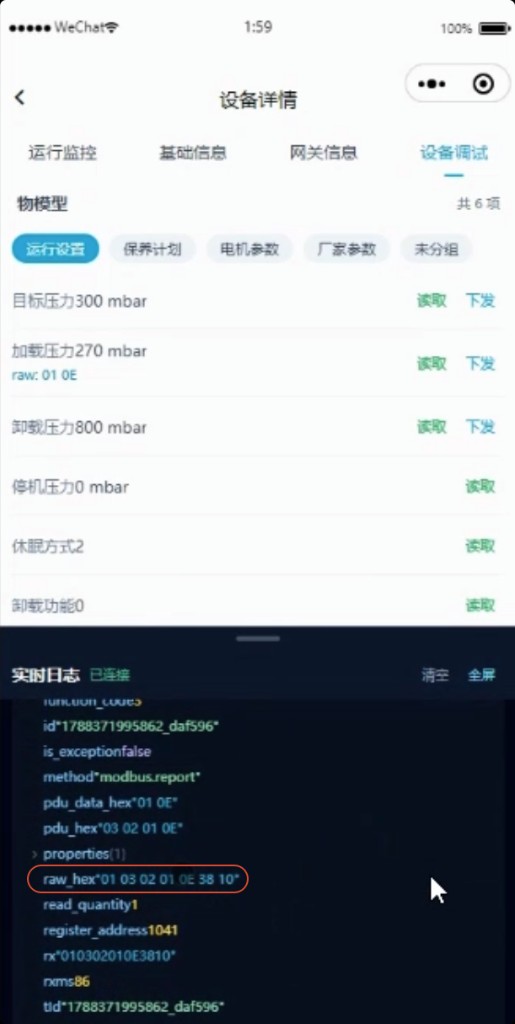
- Realtime logs show uplink and parse results; open frame parse for raw frame, CRC, register, and engineering value
Modbus RTU children use the same gateway path and the same debug UI — see Modbus RTU Access.